
Download BrightLocal – Local SEO Reporting Tool, Free Trial, Secure Software
Overview
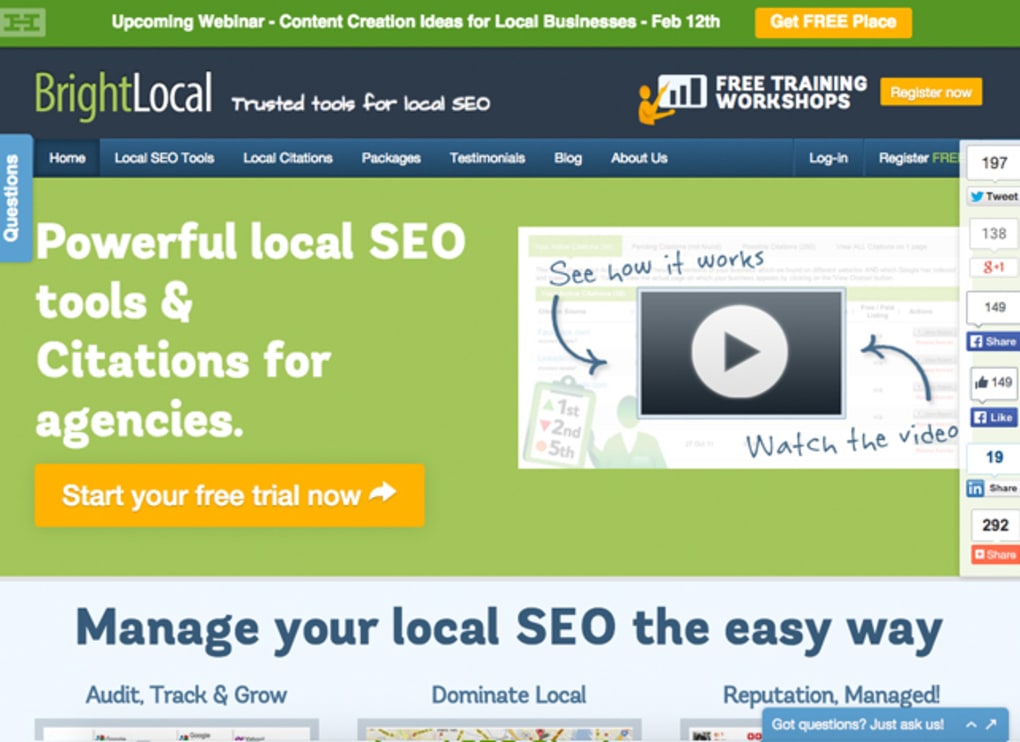
BrightLocal is an efficient and informative SEO reporting tool designed specifically for local businesses that want to dominate their geographic market. Unlike broad‑scope SEO platforms that cater to national or global campaigns, BrightLocal hones in on the nuances of local search, giving marketers a clear view of how their business appears in Google Maps, local pack results, and region‑specific directories. The platform combines rank tracking, citation building, review monitoring, and audit capabilities into a single, cloud‑based dashboard, making it easier than ever to keep tabs on a company’s online reputation and visibility.
With a 14‑day free trial, agencies and small‑to‑medium enterprises can explore the full suite of features before committing to a subscription that scales with the size of their client roster. Whether you’re a solo entrepreneur managing a single storefront or a multi‑location franchise, BrightLocal offers a centralized hub for data‑driven decision‑making, allowing you to spot opportunities, fix weaknesses, and ultimately attract more foot traffic through organic search. Its user‑friendly interface, real‑time alerts, and unlimited user seats make collaboration across sales, marketing, and operations teams seamless, ensuring that every stakeholder has access to the most current performance metrics.
Key Features & Benefits
- Local Rank Tracker: Automated daily updates on keyword positions across Google’s local pack, Google Maps, and organic results for multiple locations.
- Citation Builder & Manager: Generate, verify, and monitor citations on over 200 high‑authority directories, reducing NAP inconsistencies.
- Review Monitoring & Response Hub: Pull in reviews from Google, Yelp, Facebook, and industry‑specific sites; reply directly from the dashboard to maintain a positive brand image.
- Local SEO Audit: Comprehensive site audit focused on local signals—schema markup, mobile friendliness, and geo‑targeted content.
- White‑Paper Generator: Turn audit results and ranking data into polished, client‑ready PDF reports with custom branding, saving hours of manual formatting.
- Multi‑User Access: Unlimited user seats let agencies assign roles, set permissions, and collaborate without compromising data security.
- Automated Alerts: Real‑time notifications for ranking drops, new reviews, or citation errors keep teams proactive rather than reactive.
- Integrations: Connects with Google My Business, Google Analytics, and popular CRM tools via Zapier, ensuring data flows smoothly across platforms.
These features translate into tangible benefits for local businesses. By centralizing rank tracking and citation management, BrightLocal eliminates the need for multiple disparate tools, reducing both cost and complexity. The review hub not only aggregates feedback but also empowers owners to engage with customers promptly, a factor proven to improve star ratings and click‑through rates. The audit and white‑paper capabilities turn raw data into actionable insights and professional client presentations, speeding up the reporting cycle and enhancing credibility. Moreover, the platform’s scalability means you can start with a single location and expand to a nationwide franchise without changing software, preserving continuity and protecting your investment.
Installation, Setup, and Compatibility
BrightLocal is a cloud‑native SaaS solution, which means there is no traditional “installation” process—simply create an account, verify your email, and you’re ready to start. The onboarding wizard guides users through the initial configuration in three straightforward steps:
Step 1 – Account Creation & Trial Activation
Visit the BrightLocal website, click “Start Free Trial,” and fill in basic contact information. After confirming your email, you gain instant access to the full dashboard for 14 days, with no credit‑card requirement. This risk‑free period is perfect for testing the rank tracker, audit tool, and citation manager on a real business profile.
Step 2 – Business Profile Setup
Enter the business name, address, phone number (NAP), and website URL. BrightLocal automatically pulls data from Google My Business and major directories to pre‑populate citation entries. Users can then customize target keywords for each location, set ranking locations (city, ZIP code, radius), and define the frequency of rank checks.
Step 3 – Team & Integration Configuration
Invite team members by email, assign roles (admin, analyst, viewer), and connect external accounts such as Google Analytics, Google Search Console, and Zapier for workflow automation. The platform supports single sign‑on (SSO) via SAML for enterprises that require centralized authentication.
Supported Operating Systems: Because BrightLocal runs in any modern web browser, it works on Windows 10/11, macOS Catalina and later, Linux distributions, as well as mobile browsers on Android 8+ and iOS 13+. The responsive design ensures a consistent experience whether you’re on a desktop, tablet, or smartphone.
Security is handled at the application level with HTTPS encryption, regular data backups, and ISO‑27001 compliance. For agencies handling multiple client accounts, the platform offers a “white‑label” option that masks BrightLocal branding, allowing you to present reports under your own company name. Overall, the setup process takes under an hour for a single location and scales smoothly as you add more businesses.
Pros, Cons, FAQ & Final Verdict
Pros
- Specialized focus on local SEO eliminates noise from national‑level tools.
- All‑in‑one dashboard for rank tracking, citations, reviews, and audits.
- Unlimited user seats foster collaboration across teams.
- White‑paper generator saves time on client reporting.
- Free 14‑day trial with no credit‑card required.
- Responsive web app works on Windows, macOS, Android, and iOS.
- Robust API and Zapier integrations for workflow automation.
Cons
- Pricing tiers can become expensive for large agencies with many locations.
- No native desktop application; requires internet connection.
- Advanced features like custom schema suggestions are limited to higher‑tier plans.
- Learning curve for newcomers unfamiliar with local citation concepts.
Frequently Asked Questions
Can BrightLocal track rankings for multiple locations simultaneously?
Yes. The platform allows you to add unlimited locations, each with its own set of target keywords and geographic radius. Rankings are updated daily and displayed in a consolidated view.
Is there a limit to the number of citations I can build?
BrightLocal provides access to over 200 citation sources with no hard limit on submissions. However, the speed of verification depends on each directory’s processing time.
How does the free trial differ from a paid subscription?
During the 14‑day trial you receive full access to all features, including the white‑paper generator and unlimited users. After the trial, you must choose a paid plan that matches your number of locations and desired support level.
Can I export my data for offline analysis?
Yes. BrightLocal offers CSV and PDF export options for rankings, citations, review summaries, and audit reports, making it easy to integrate data into other analytics tools.
Is there customer support available for new users?
BrightLocal provides 24/7 email support, live chat during business hours, and a comprehensive knowledge base. Premium plans also include phone support and a dedicated account manager.
Final Verdict & Call to Action
BrightLocal stands out as the go‑to solution for businesses that need a laser‑focused view of their local search performance. Its blend of rank tracking, citation management, review monitoring, and automated reporting delivers a complete picture that most generic SEO tools simply cannot match. While the price may be a consideration for very large agencies, the value derived from time saved on manual audits and the ability to instantly act on ranking fluctuations often justifies the investment. If you’re looking to boost foot traffic, improve local pack visibility, and streamline client reporting, BrightLocal is a secure, cloud‑based platform that delivers measurable results. Start your free 14‑day trial today, and see how easy local SEO can be.



.png)



